Grandmas Giggling (Laughing Bubbles)

In scene four, the Grandmas are laughing together so I wanted to show this in the physical scene. Unfortunately, I didn’t have enough time to animate the characters so I decided to add expressive laughing bubbles next to the characters in the scene. This received positive feedback in the group review. I found the expressions online and vectorised them with illustrator and added them to the scene on a transparent plane.
References:
Giggle speech bubble – https://www.google.com/url?sa=i&url=https%3A%2F%2Fwww.dreamstime.com%2Fillustration%2Flaugh-speech-bubble.html&psig=AOvVaw1afPLK_rSq1QX3iE97dcBd&ust=1647358208412000&source=images&cd=vfe&ved=0CAwQjhxqFwoTCPjqgd71xfYCFQAAAAAdAAAAABAD
Customer Journey – Arrow Signs
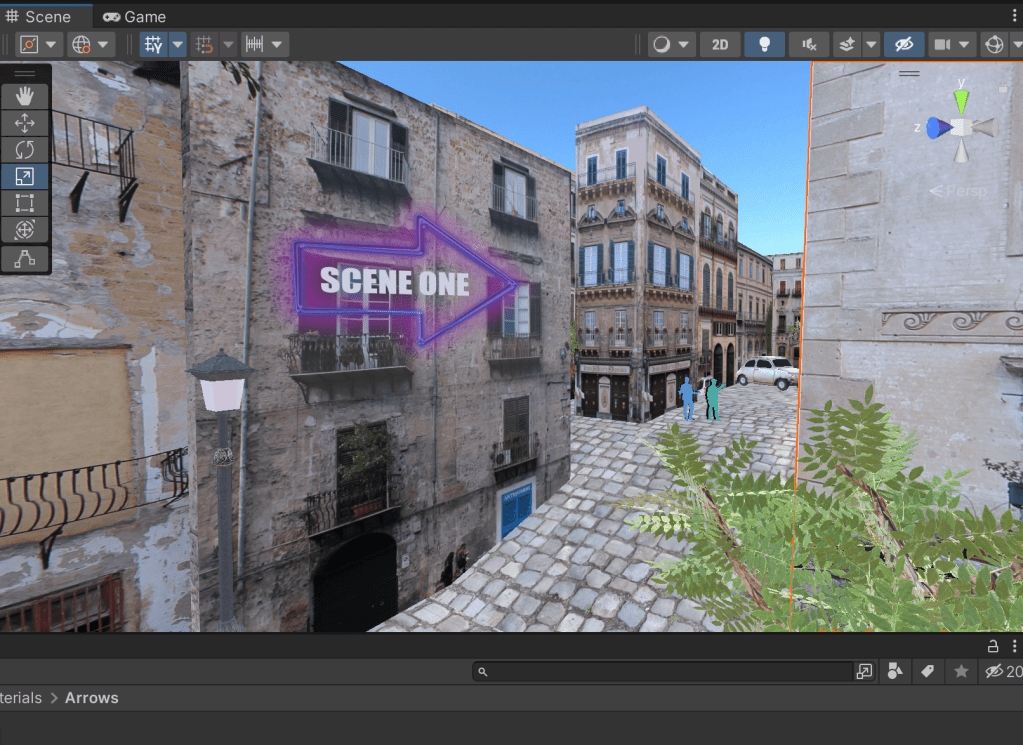
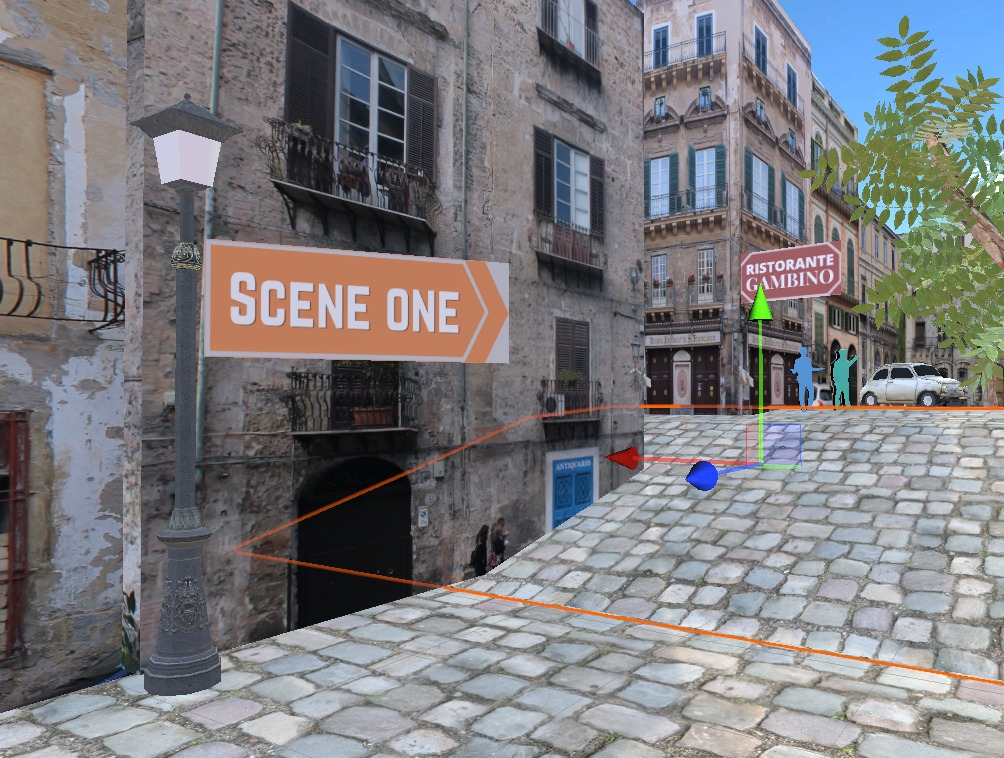
In order to help guide the audience through the scenes, I added arrow signs along the journey. I initially tried glowing arrows in purple (above) but it didn’t fit the scene. Then I tried orange arrows (below) but again, the colours were too bold against the rest of the scene.
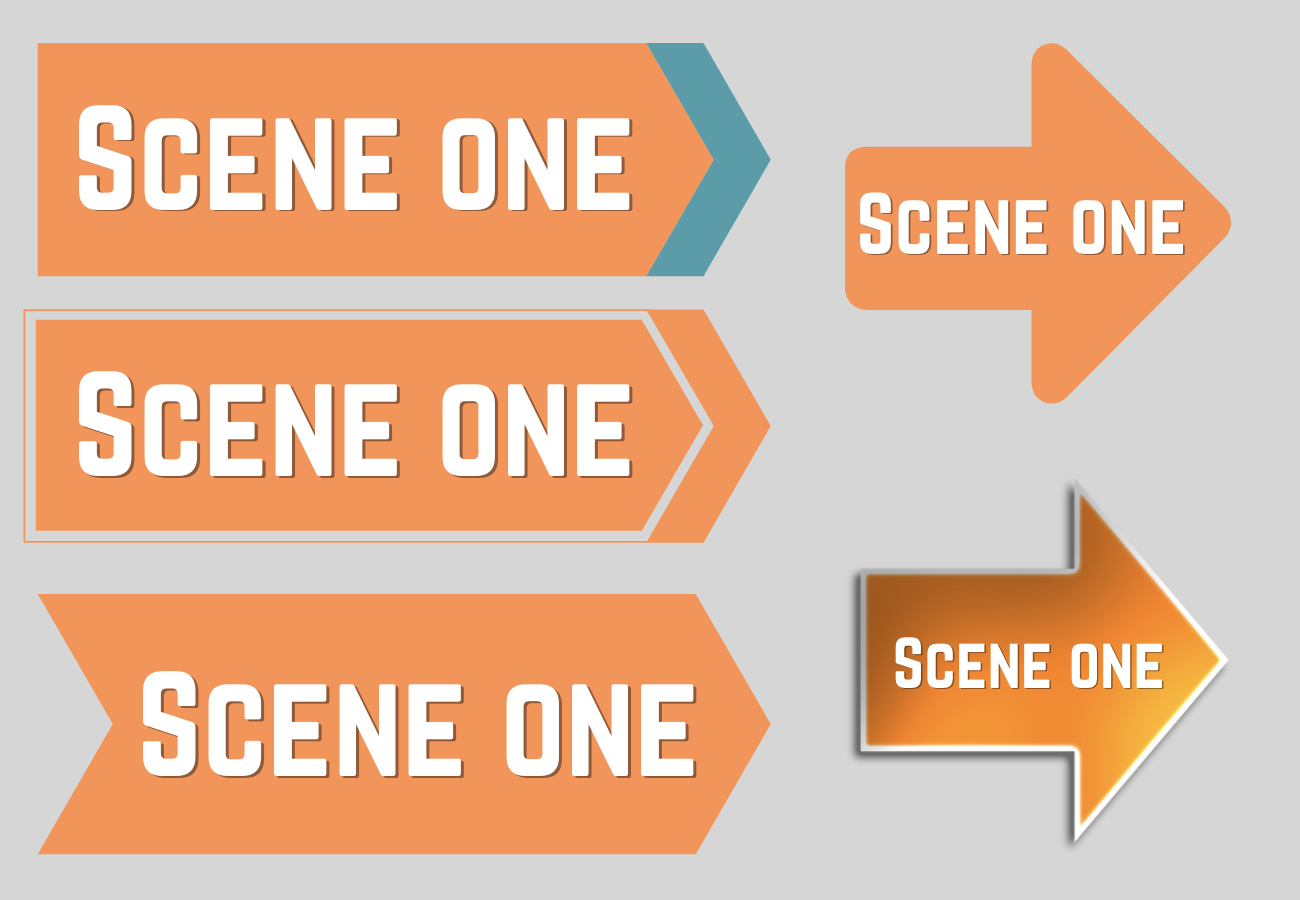
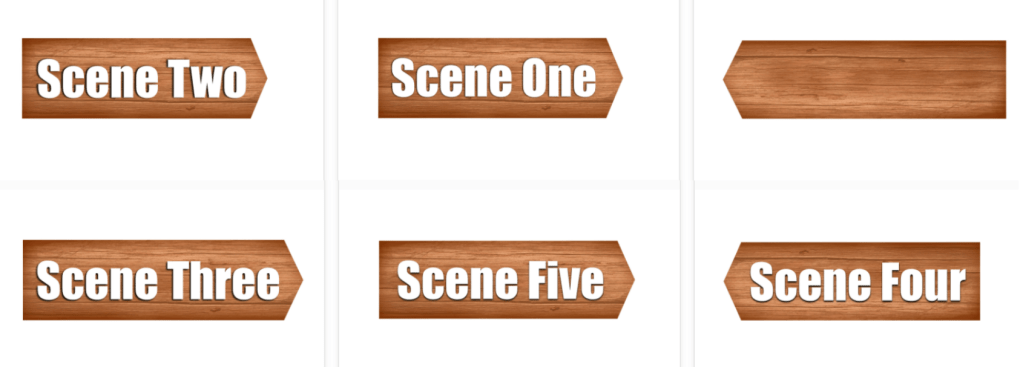
I then experimented on Photoshop with adding wooden backgrounds to the signs and made different versions facing both directions. This aesthetic was much more aligned with the rest of the scene.
References:
Arrow not used – https://www.freeiconspng.com/downloadimg/7594
Restaurant Signs

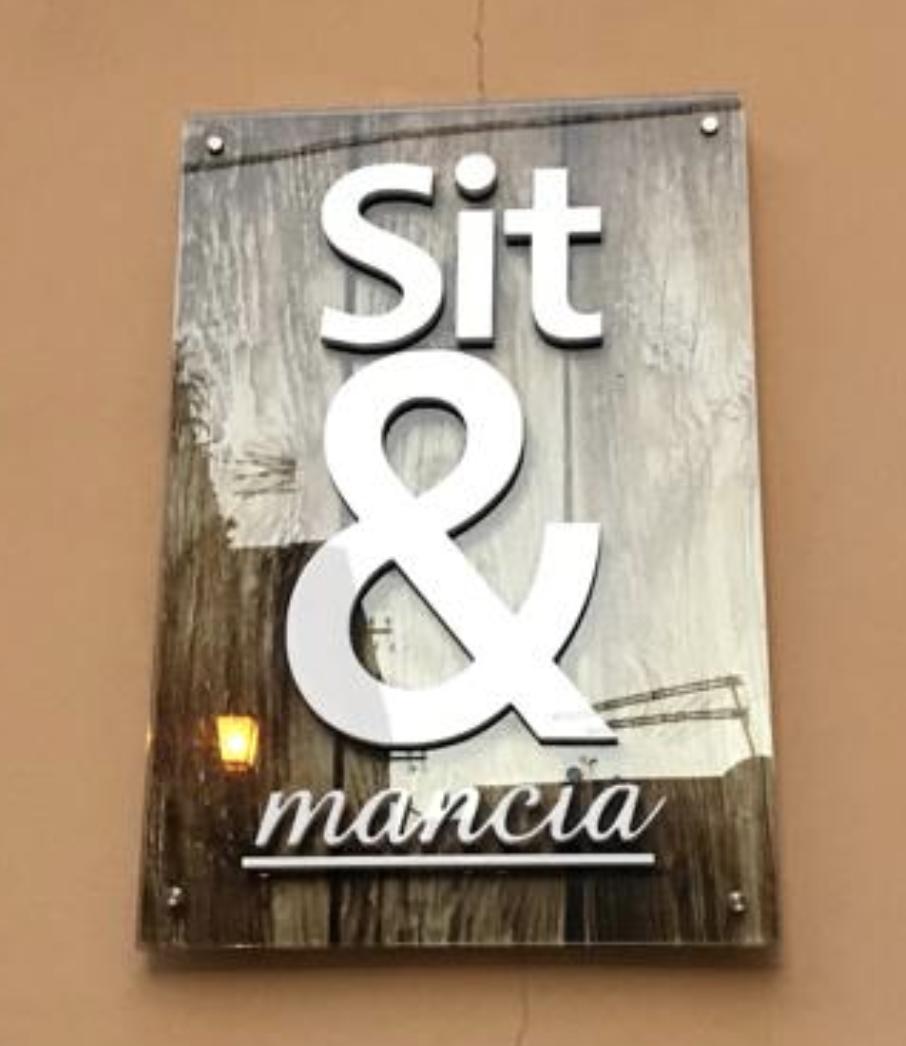
Creating the restaurant signs was one of my favourite parts of the scene as I was able to play with my knowledge of the Sicilian language and the names. When I was in Sicily for the project, a friend and I came across a name of a restaurant ‘Sit & Mancia‘ which was a very funny name as it played with the word ‘assittati’ which means sit down in Sicilian and the word ‘sit’ in english. I wanted to use this in the scene as it will bring a hidden humour to the scene that one Sicilian speaking people will understand.
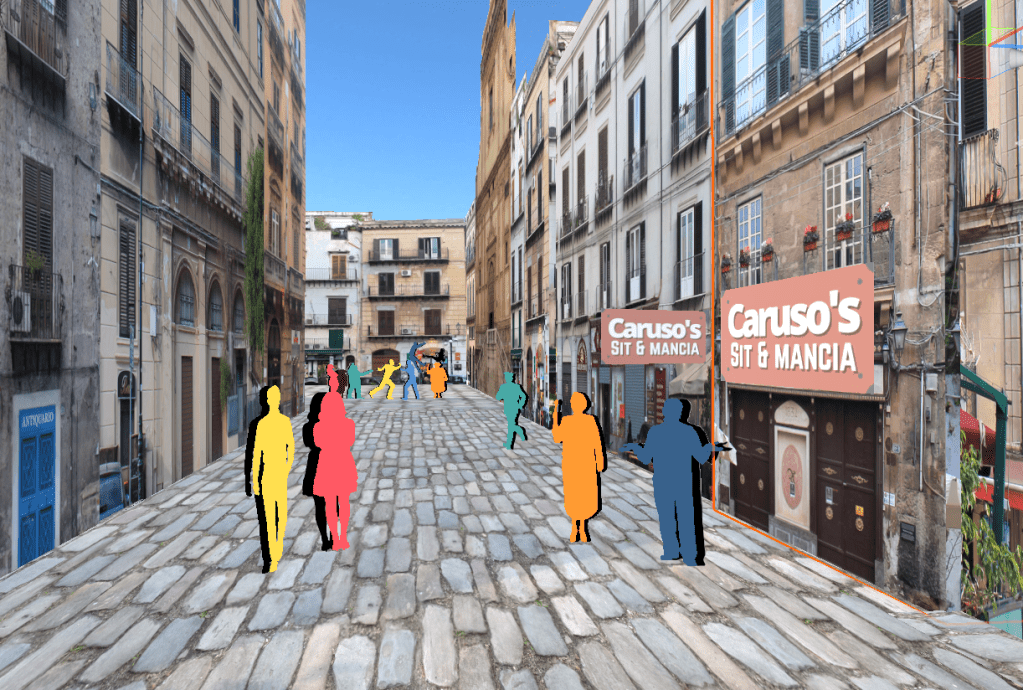
Once the signs were ready, I played them on planes ‘plane’ game objects within the scene. The end result was very pleasing and other people said the same during future review sessions.
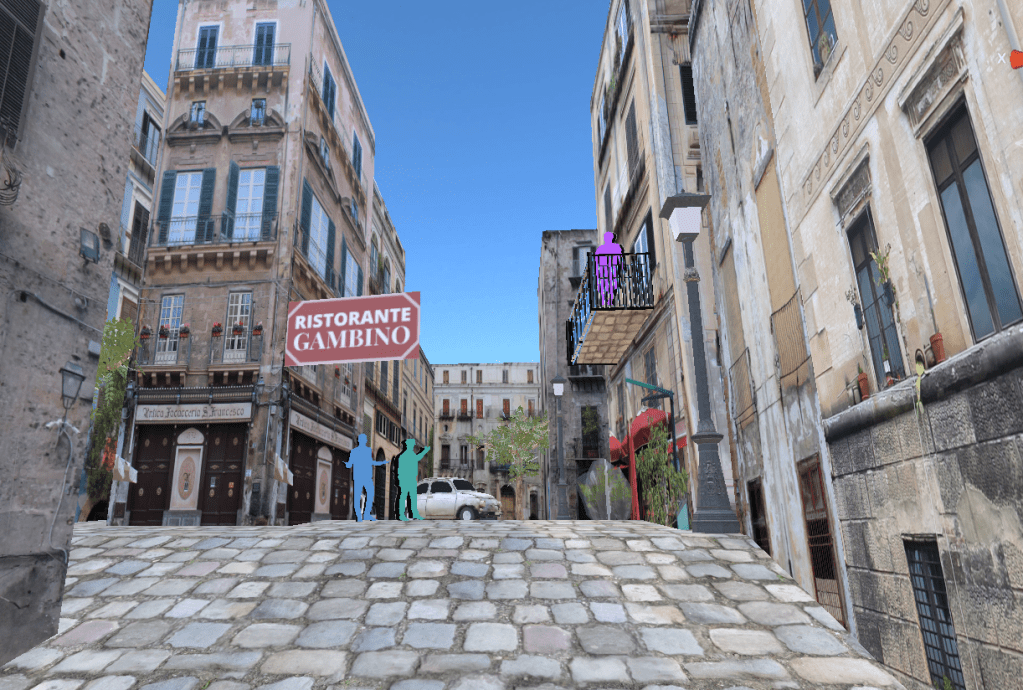
References:
Carusos inspired sign post- https://www.pinterest.co.uk/pin/86694361556164311/
Entrance and Exit Scene
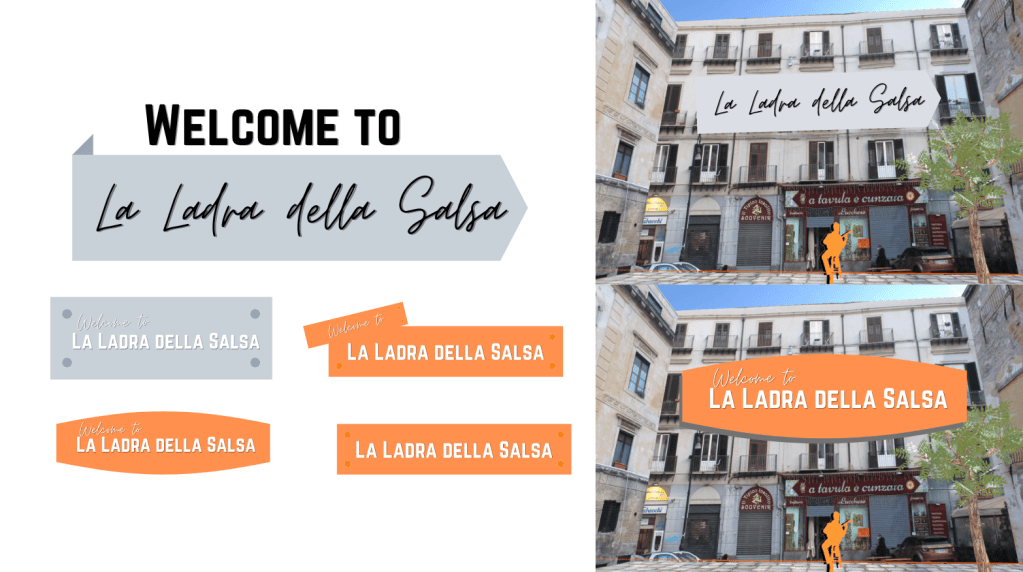
Following on from the sign-posts, I created and added title, entrance and exit plaques to the scene. The title was initially mocked-up on photoshop (above) to get an idea of what would look the best for the scene. After asking for external opinions, I decided edit title on photoshop and remove the windows behind it to make it legible for the viewer.
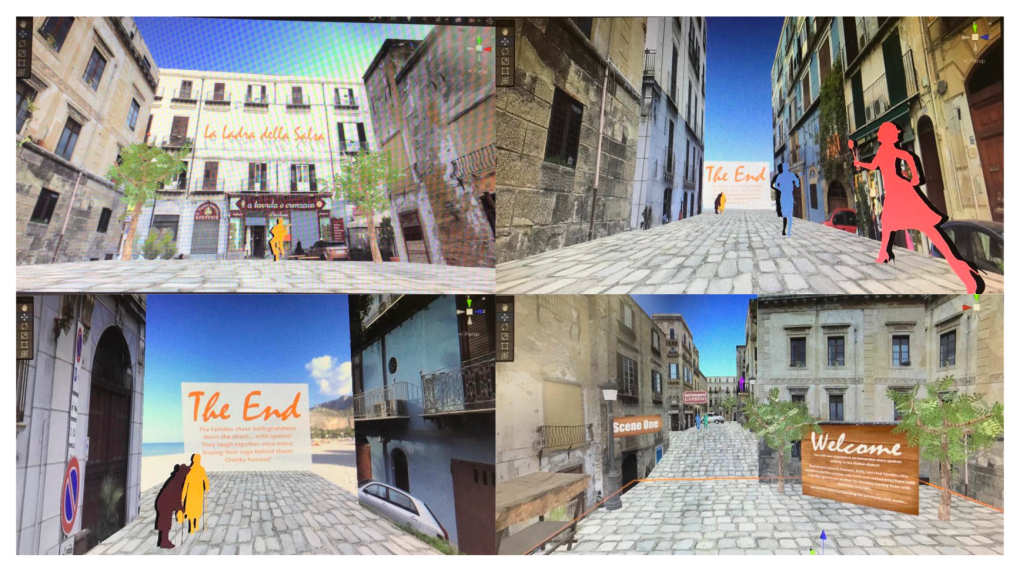
Then I used the text below to create plaques to introduce the audience to the scene and to end the story. The fonts I used were Candara and Mistral.
Text for Scenes
Entrance
You will now experience an immersive story spoken entirely in the Sicilian dialect.
Rooted and raised in Palermo, Sicily, two rival families (the Gambinos and the Carusos, who both own restaurants) have held a grudge against one another for decades, leaving them with bitterness and rage.
Unravel the story by following the arrows to each scene…
Ending
The families chase both grandmas down the street… with spoons! They laugh together once more, leaving their rage behind them! Cheeky Nonnas!
Adding Audio
Entrance and finishing scene audios added following section of LinkedIn tutorial ‘Unity 3D 2021 Essential Training’, ‘Adding Audio’
References:
https://www.linkedin.com/learning/unity-3d-2021-essential-training/adding-ambient-sound?autoplay=true&resume=false&u=56743409
Entrance and finishing scene audios added following section of LinkedIn tutorial ‘Unity 3D 2021 Essential Training’, ‘Adding Audio’ https://www.linkedin.com/learning/unity-3d-2021-essential-training/adding-ambient-sound?autoplay=true&resume=false&u=56743409
Creating Smoke: Fight Scene
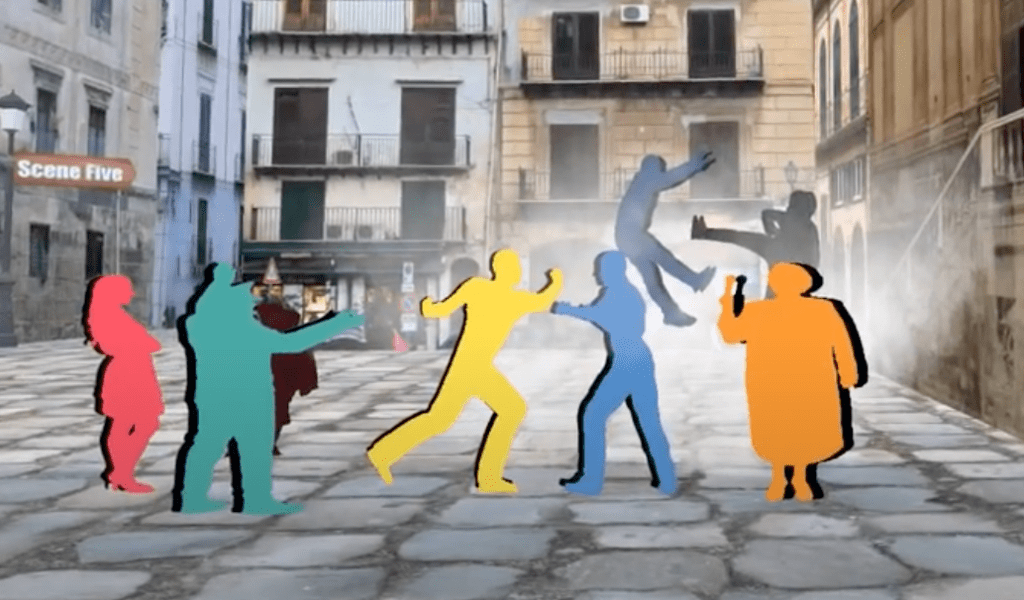
I wanted to make the fight scene more dynamic by adding smoke, so I followed a Unity tutorial and managed to create moving floating particles for the scene. This brought a different dynamic to the experience and made the fight come alive!
References:
Smoke PNG used – https://www.pngegg.com/en/png-dkkie/download
Youtube Tutorial followed – https://www.youtube.com/watch?v=jQivfs34Wb0 Very clear and simple to follow
Challenge with MP4 Upload to Unity
At this point, I wasn’t able to insert videos into Unity on Mac so I tried to on gaming computers. This still didn’t work so I asked communities on Discord, Reddit, Whatsapp groups and lecturer for help:
Hey guys! I can’t seem to add MP4’s to a 3D unity scene on my Mac! Does anyone know of any useful tutorials for Macs, I’ve watched the YouTube ones with no success. Thanks
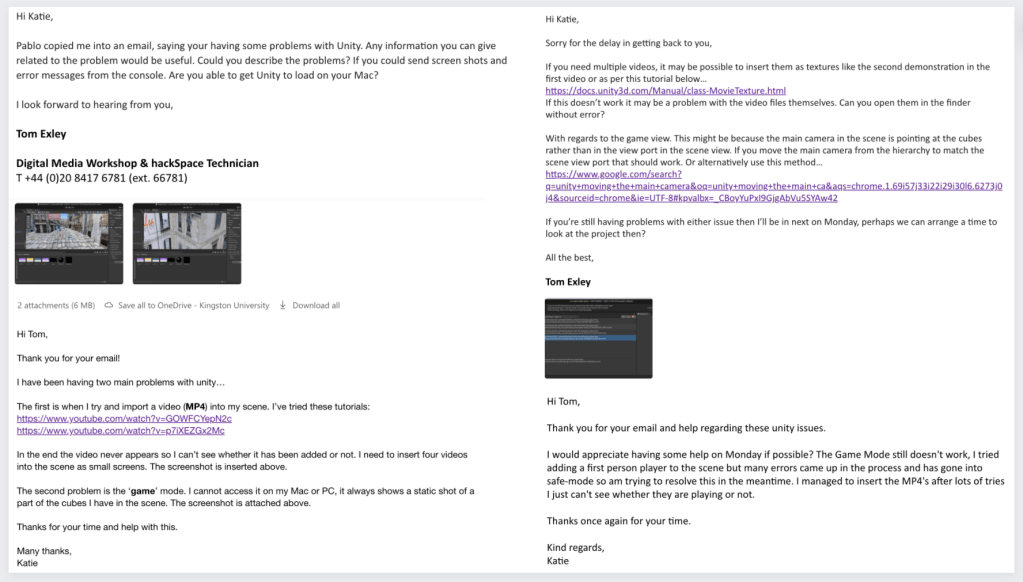
Luckily a technician came back with some advice on the matter and I tried out the different methods he sent. I managed to figure out how to insert the videos as a videoplayer material onto a plane and I could hear them playing on the game mode. All of the audios started to play at once so I looked into creating a trigger for the scene. I followed a tutorial for creating triggers and inserted the coding into the scene. The trigger coding didn’t work and it crashed my scene.
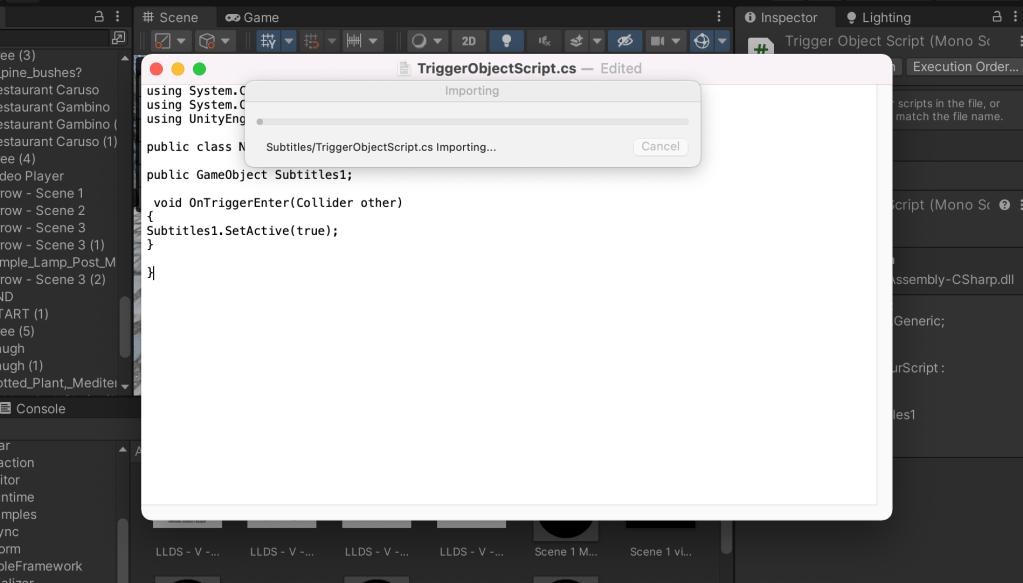
I created a transparent game object and inserted the code into it but it didn’t work. This then crashed the scene so I ended up deleting the game object to avoid complications.
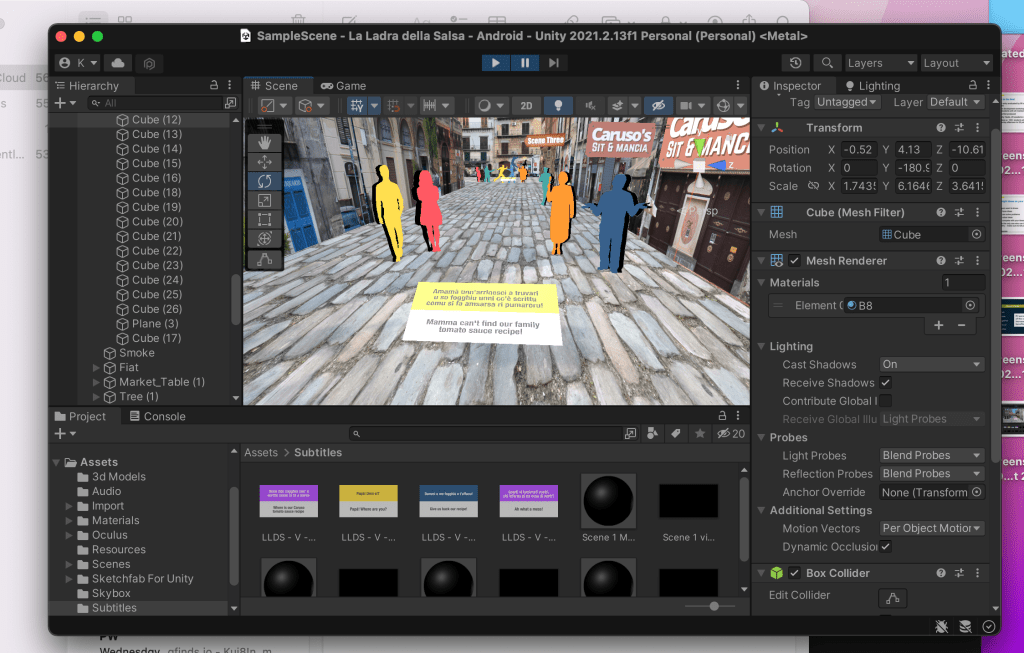
Above you can see how the scene looked with the subtitle videos inserted. They only worked when I pressed the Game Mode, however the audios still were playing at once so I needed to change that.
References:
Tutorials tried but didn’t work:
https://www.youtube.com/watch?v=GOWFCYepN2c
https://www.youtube.com/watch?v=p7iXEZGx2Mc
Adding triggers to a scene – https://www.youtube.com/watch?v=CSn0hENOIT0
Movie textures – https://docs.unity3d.com/Manual/class-MovieTexture.html
Unity video easy application – https://www.youtube.com/watch?v=p7iXEZGx2Mc
Video clips – https://docs.unity3d.com/Manual/class-VideoClip.html
First Person Set-up – CRASH and virus
Another issue with the scene was that I couldn’t navigate in Game Mode or the VR headset. I asked around to see if anyone could help. A friend suggested to download the Unity ‘starter assets’ and follow the set up below. I did this, but unfortunately the scene crashed and the coding wasn’t accurately imported so the project went into ‘Safe Mode’ and I couldn’t access the file without risking to loose my project.
I had to problem solve at this point by opening the scene on a Windows computer, download the same Unity version and discovered the file was accessible. Before this, I also had a potential virus attack when I opened Unity Hub on my computer. The file was called ‘with-love-from-america-txt‘ and it could have been another cause for the file problems. I reinstalled Unity Hubs and deleted the file to avoid any threats to my computer.
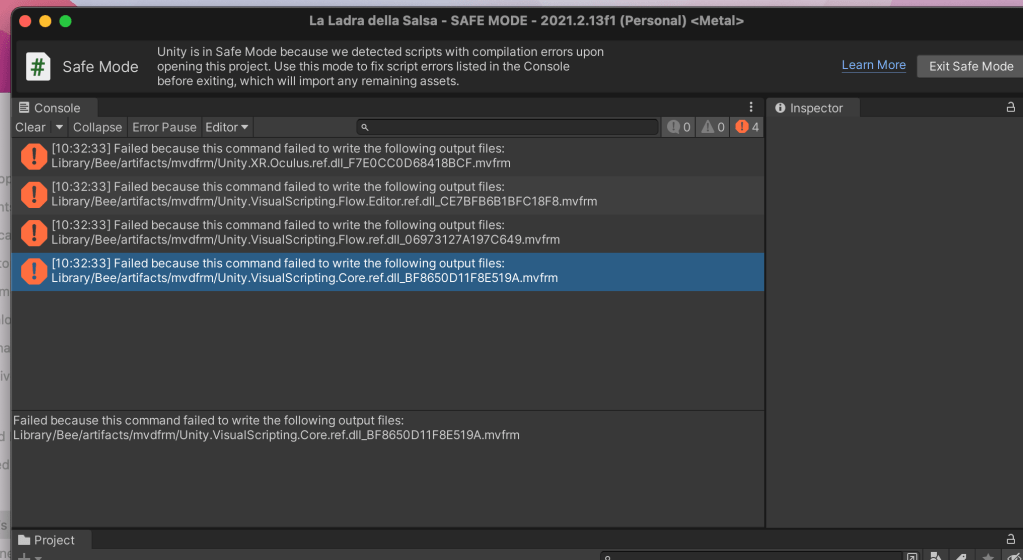
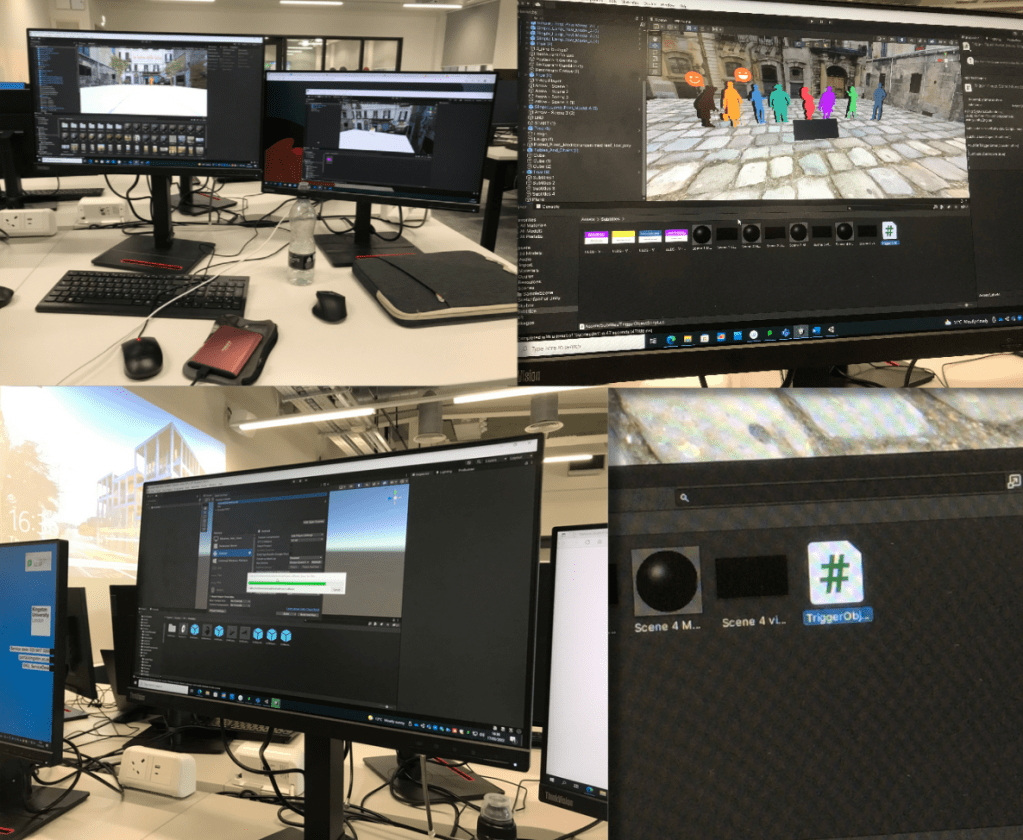
I asked a friend for help with this as he new how to set up Unity well. He helped me uninstall some programs, delete an extra camera in the scene and we added a plane from ProBuilder to add a floor to project for user to walk on. These little tweaks meant the scene could work on the headset but i still couldn’t move.
I found out I had to create a new scene and then move the assets over from the old scene as the file seemed to be faulty. I kept the old file incase the technician the following week could solve the navigation issue. The ground planes should have acted as the floor and the package I downloaded was meant to have the navigation tools ready to use however they didn’t.
References:
https://forum.unity.com/threads/malware-in-unity-hub-3-1-0-with-love-from-america-txt.1253856/
Followed instructions in link – https://github.com/Corysia/Unity-Oculus-Example
Lecturer Feedback on Project
The lecturer gave positive feedback on the scene and gave some advice to make it better. Unfortunately the scene crashed at this stage so I showed him the youtube video of the prototype I made earlier. He said how the silhouettes could have texture on the coloured layer to make them fit with the scene, the shadow behind them could be reduced in opacity so it’s less harsh. I needed to work on the fonts throughout whole of the scene to make it flow better.
 KatiesBlog